Introduction
As the backbone of millions of websites around the globe, WordPress is a powerful content management system that continues to evolve. A crucial part of maintaining a healthy WordPress site is staying updated, known in Polish as “aktualizacja WordPress.” In this article, we’ll take a deep dive into the world of aktualizacja WordPress, exploring its importance, benefits, and best practices to ensure your site remains secure and efficient. Whether you’re a seasoned developer or a beginner, this guide is designed to help you understand the ins and outs of WordPress updates.
What is aktualizacja WordPress
Aktualizacja WordPress refers to the process of updating various components of a WordPress website, including the core software, themes, and plugins. These updates are essential for enhancing performance, adding new features, fixing bugs, and addressing security vulnerabilities. Regular aktualizacja WordPress ensures that your site runs smoothly and remains competitive in the digital landscape.
Types of Updates
There are generally three types of updates you should be aware of:
- Core Updates: These updates pertain to the main WordPress software. They are often automatic but can also be manually initiated to take advantage of new features or security patches.
- Theme Updates: Themes may have improvements or security fixes. Regularly updating your themes ensures your site looks as good as possible while sticking to the latest standards.
- Plugin Updates: Plugins enhance functionality on your site. Keeping them updated protects against exploits and helps maintain compatibility with the latest WordPress version.
The Importance of aktualizacja WordPress
Keeping your WordPress site updated is not optional; it’s a necessity for several reasons.
Security Enhancements
One of the primary reasons for aktualizacja WordPress is to protect your site from vulnerabilities. Cyber threats are constantly evolving, and outdated software can lead to easy exploitation. By regularly updating your WordPress site, you are patching these security loopholes, making it challenging for malicious entities to gain access. For more details on securing your WordPress site, check out our guide on Security Hardening.
Performance Optimization
Updates often include performance enhancements that can significantly improve your site’s loading speed and overall user experience. A well-optimized site retains visitors, reduces bounce rates, and increases conversions.
Benefits of aktualizacja WordPress
The benefits of regular WordPress updates can have long-lasting positive effects on your website.
Improved Functionality
Updates often come with new features that make managing your site easier and add new capabilities, allowing you to provide a richer experience for your users. Therefore, not only does your site remain functional, but it also becomes more engaging.
Enhanced SEO
Search engines like Google reward sites that perform well and are regularly updated. By maintaining an updated site, your search engine ranking can improve, leading to more traffic.
Compatibility with New Technologies
The digital landscape is ever-changing. Regular updates to WordPress—alongside your plugins and themes—ensure compatibility with new web technologies and standards, providing better overall support and functionality.
How to Perform aktualizacja WordPress
Now that we’ve established the importance of updates, let’s go over the steps needed to perform an aktualizacja WordPress seamlessly.
Back Up Your Site
Before making any updates, always back up your WordPress site. This ensures that you have a recovery point in case something goes wrong during the update process. Consider using backup plugins like UpdraftPlus for automating backups.
Update Your Core
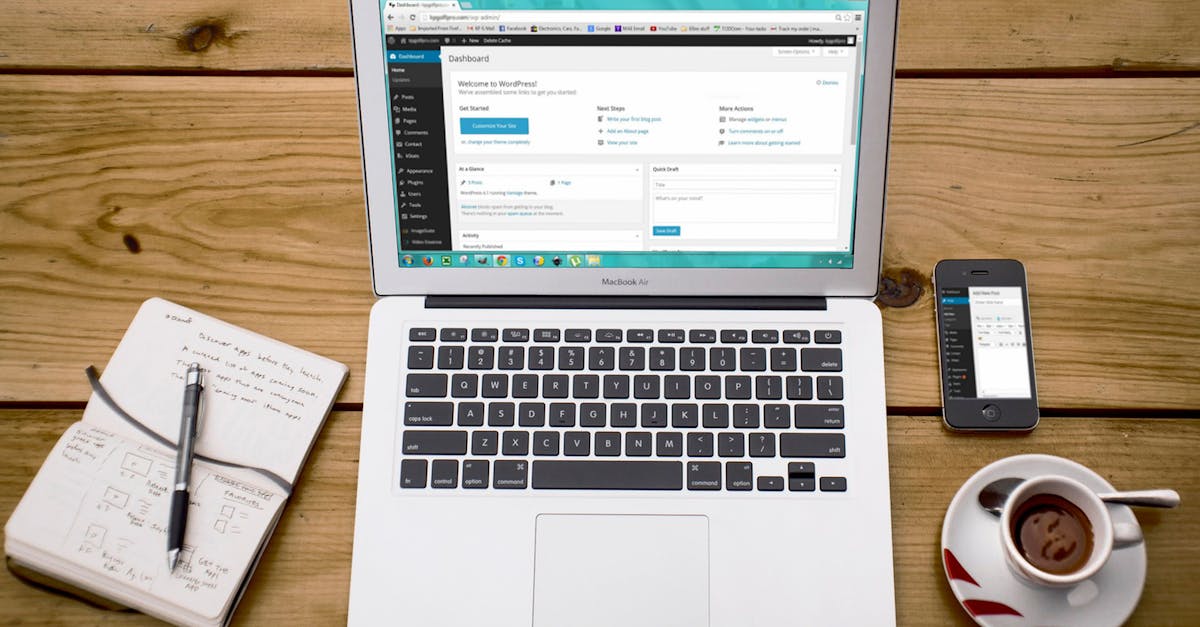
To update WordPress core, navigate to your dashboard, and you’ll often see a notification if an update is available. Simply click on the “Update Now” button. If your updates are automatic, make sure the feature is enabled.
Update Plugins and Themes
Similar to updating the WordPress core, you can find notifications for themes and plugins within the dashboard. Click on “Plugins” or “Themes,” choose the ones that need updates, and select “Update Now.”
Use Cases of aktualizacja WordPress
Updating WordPress can provide immediate and long-term gains. Here are some real-world use cases:
Small Business Websites
For small businesses, maintaining an updated site can lead to boosted reliability and security. A site that is always fresh and secure helps instill trust in potential customers, increasing the likelihood of conversion.
E-commerce Sites
E-commerce websites rely heavily on functionality and security. Actualizacja WordPress ensures that plugins that handle transactions, inventory management, and customer data are always secure and efficient.
Common Issues After Updates
While updates are essential, they may sometimes lead to compatibility issues. Here’s what you can do:
Theme Conflicts
Sometimes, after updating WordPress or a plugin, your theme might exhibit unexpected behavior. In these cases, reverting to an older version of the theme may be necessary. Always consult your theme developer for guidance.
Plugin Compatibility
Not all plugins maintain compatibility with newer versions of WordPress. If an update causes issues, try disabling the plugin temporarily or look for an alternative that is regularly updated and robust.
Tips for Smooth aktualizacja WordPress
Maintaining a seamless update routine can ease the process immensely. Here are some tips to consider:
Schedule Regular Updates
Set a schedule to regularly update your WordPress site, be it once a month or every quarter. Regularity helps keep your site secure and minimizes the potential for larger issues down the line.
Look for Automatic Updates
WordPress allows you to enable automatic updates for critical components. This can save you time and ensure that your site is always up-to-date.
Use a Staging Environment
Before executing updates on your live site, consider using a staging environment. This allows you to test updates safely without affecting the live version, ensuring compatibility and functionality.
Comparing Hosting Options for WordPress
The choice of hosting can influence how easy or difficult it is to manage your WordPress updates. For more detailed insights into this topic, check out the Hosting Comparison.
Shared Hosting vs. Managed WordPress Hosting
While shared hosting might be budget-friendly, managed WordPress hosting often comes with automatic updates, enhanced security, and faster performance. Choosing a reliable hosting provider can greatly alleviate the stress of managing WordPress updates.
Conclusion
Aktualizacja WordPress is a vital task that ensures your website remains secure and performs optimally. The advantages of keeping your WordPress site updated far outweigh any inconvenience. By implementing regular updates, testing before live rollout, and leveraging professional services when needed, your website can thrive. For further assistance, consider our Free Website Audit or reach out for a Free Consultation. Don’t let your WordPress site fall behind—start updating today!
Frequently Asked Questions About aktualizacja wordpress
What is aktualizacja wordpress and why is it important?
How often should I perform aktualizacja wordpress?
What steps are involved in aktualizacja wordpress?
Will aktualizacja wordpress affect my website’s features?
What precautions should I take before aktualizacja wordpress?
Can I automate the aktualizacja wordpress process?
What should I do if my website breaks after aktualizacja wordpress?
Where can I find the latest informasjon on aktualizacja wordpress?
Is it safe to trust third-party plugins during aktualizacja wordpress?
What are common issues faced during aktualizacja wordpress?