Introduction
In the ever-evolving landscape of web development and digital marketing, the fusion of artificial intelligence (AI) with popular content management systems like WordPress is paving the way for enhanced functionalities. Among the trailblazers in this domain is WordPress OpenAI, a cutting-edge integration that combines the power of OpenAI’s advanced language models with the versatility of WordPress. This article aims to provide a comprehensive overview of what WordPress OpenAI is, its benefits, use cases, tips, comparisons with other tools, and much more to help you unlock its potential for your website.
What is WordPress OpenAI
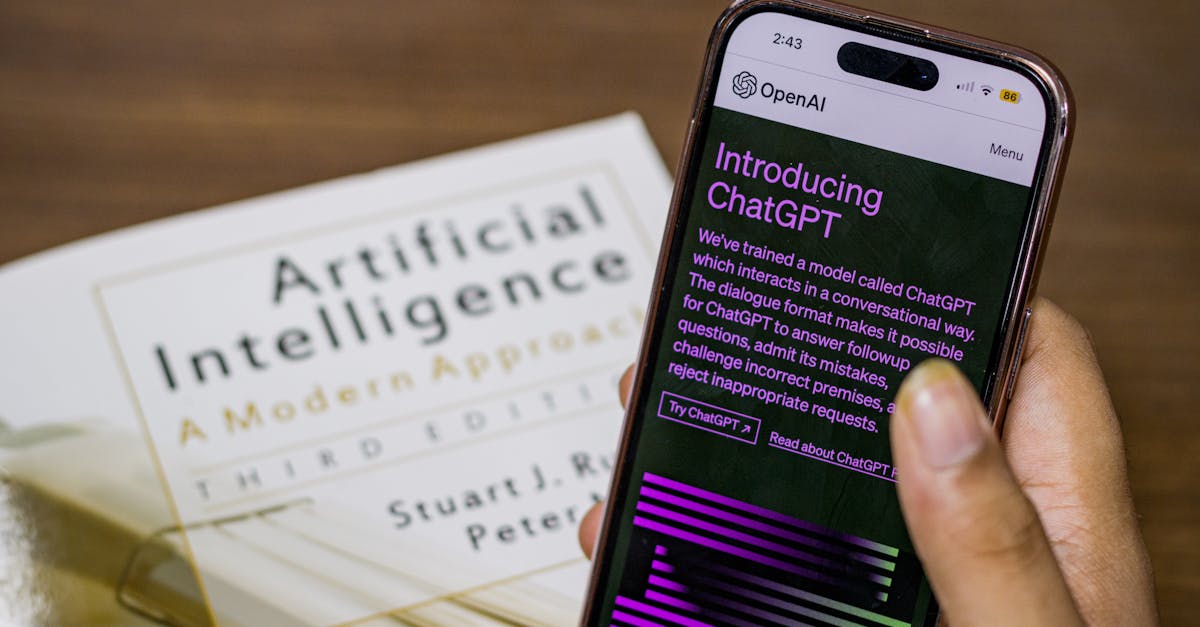
At its core, WordPress OpenAI is an integration that allows WordPress users to harness the capabilities of OpenAI’s language models, such as ChatGPT, to create, enhance, and manage content more effectively. This can streamline several processes within the WordPress ecosystem, particularly for content creation and user engagement.
Benefits of WordPress OpenAI
Utilizing WordPress OpenAI offers numerous advantages that can significantly enhance your website’s functionalities. Here are some key benefits:
Enhanced Content Creation
Leveraging AI for content creation means quicker article drafting, generating topic ideas, and improving language fluency. Think of OpenAI as your virtual writing assistant who can help you overcome writer’s block.
Improved User Engagement
With AI-driven chatbots powered by OpenAI, you can offer personalized customer service. These chatbots can respond to queries instantly, which can enhance user engagement through 24/7 availability.
SEO Optimization
WordPress OpenAI can assist in optimizing your content for search engines by generating meta descriptions, alt texts for images, and even keyword suggestions that adhere to SEO best practices.
Cost-Efficiency
By automating certain tasks, such as content generation and customer support, businesses can save on labor costs while maintaining high-quality output.
Use Cases for WordPress OpenAI
Now that we understand the benefits, let’s delve into specific use cases for WordPress OpenAI:
Content Generation
Imagine being able to generate multiple blog post ideas, outlines, or even full articles with a simple prompt. OpenAI can provide you with creative suggestions that align with your current topics, streamlining your content-generation process.
Chatbots for Customer Support
Integrating an OpenAI-powered chatbot can enhance your customer support capabilities. These chatbots can engage users, answer commonly asked questions, and escalate issues to human reps if necessary. This ensures that visitors receive timely assistance, improving overall user satisfaction.
Smart Automation
Beyond content creation, WordPress OpenAI can automate repetitive tasks, such as updating existing articles, recommending related content, or even running basic analytics.
How to Implement WordPress OpenAI
If you’re eager to implement WordPress OpenAI, here’s how:
Choose the Right Plugin
To begin, select a reliable WordPress plugin that integrates OpenAI’s functionalities. Some popular choices include AI Writer and AI Content Generator.
Set Up Your API Key
Once you’ve chosen a plugin, the next step is to set up your OpenAI API key. Sign up for an OpenAI account and follow the plugin’s setup instructions to link the API.
Customize Settings
Most plugins come with customizable settings to tailor the AI’s output according to your needs. For instance, you can adjust parameters such as content length, tone, and more.
Comparison with Other Tools
When discussing WordPress OpenAI, it’s essential to consider how it stacks up against other content creation tools like Jasper AI or copy.ai.
WordPress OpenAI vs. Jasper AI
While both offer robust content generation capabilities, WordPress OpenAI is tailored specifically for WordPress websites, providing seamless integration that other tools may lack. Moreover, Jasper AI requires separate operations outside WordPress, making OpenAI a more user-friendly option for WordPress users.
WordPress OpenAI vs. Copy.ai
Copy.ai is celebrated for its intuitive interface and versatility, but it may not provide the depth of integration offered by WordPress OpenAI, especially when focusing on improving SEO and user engagement on your site.
Tips for Maximizing Your WordPress OpenAI Experience
To make the most out of WordPress OpenAI, consider the following tips:
Train the Model on Your Content
Train the AI with your existing content. This will allow it to mimic your tone and style, producing results that are consistent with your brand’s voice.
Set Clear Expectations
While AI is powerful, it’s not infallible. Be prepared to edit and polish the content generated by OpenAI to align it perfectly with your requirements.
Utilize Analytics
Leverage analytics tools to assess how AI-generated content performs, improving your strategy over time based on what resonates with your audience.
Common Challenges with WordPress OpenAI
Despite its advantages, some challenges exist in using WordPress OpenAI:
Quality Control
AI-generated content may require human oversight. Regularly review and edit outputs to maintain the quality and accuracy of your website.
Cost Considerations
Using OpenAI can incur costs depending on the plan you choose. It’s important to evaluate whether the benefits justify the expense for your website.
WordPress OpenAI in Action: Case Studies
Understanding how others have successfully used WordPress OpenAI can provide valuable insights:
Case Study 1: E-commerce Store
An e-commerce store integrated OpenAI to automate product descriptions. They achieved a 30% increase in conversion rates due to improved engagement initiated by personalized descriptions generated by AI.
Case Study 2: Blogging Website
A blogging website used OpenAI to brainstorm article ideas, resulting in a 25% increase in content output. They found that AI-assisted writing not only saved time but also sparked fresh ideas that fueled their editorial calendar.
Conclusion
Incorporating WordPress OpenAI into your website can transform how you manage content creation and customer engagement. This AI-driven tool can not only enhance the efficiency of your content pipeline but also provide an innovative way to interact with your audience. As you explore this technology, keep in mind the various benefits it offers, from improved user engagement to cost-efficiency in operations.
If you’re ready to take the next step and explore the potential of WordPress OpenAI for your website, consider starting with a Free Website Audit and schedule a Free Consultation with our experts. Together, let’s unlock the future of your digital presence!
Frequently Asked Questions About WordPress OpenAI
What is WordPress OpenAI integration?
How can I implement WordPress OpenAI on my site?
Is there a cost associated with WordPress OpenAI?
What features does WordPress OpenAI offer?
Can WordPress OpenAI improve my site’s SEO?
Is using WordPress OpenAI secure for my website?
What are the prerequisites for using WordPress OpenAI?
Can I customize WordPress OpenAI responses?
What support is available for WordPress OpenAI users?
Where can I learn more about WordPress OpenAI?