Introduction
In the digital world, having a solid online presence is crucial for businesses and individuals alike. When it comes to building a website, two platforms often steal the spotlight: Weebly and WordPress. Each of these platforms has its own unique set of features, advantages, and use cases. In this article, we will delve deeper into Weebly and WordPress, discussing the benefits of each, their uses, and how they compare against one another. Whether you’re a small business owner, a blogger, or someone looking to create a personal website, understanding these platforms will help you make an informed decision. Let’s explore Weebly and WordPress and see which one aligns better with your needs.
What is Weebly
Weebly is a user-friendly website builder that allows users to create websites with ease. With its drag-and-drop functionality, even those with minimal technical skills can design a professional-looking website in a short span of time. Weebly is particularly popular among small businesses, freelancers, and individuals looking to set up a personal blog or portfolio.
What is WordPress
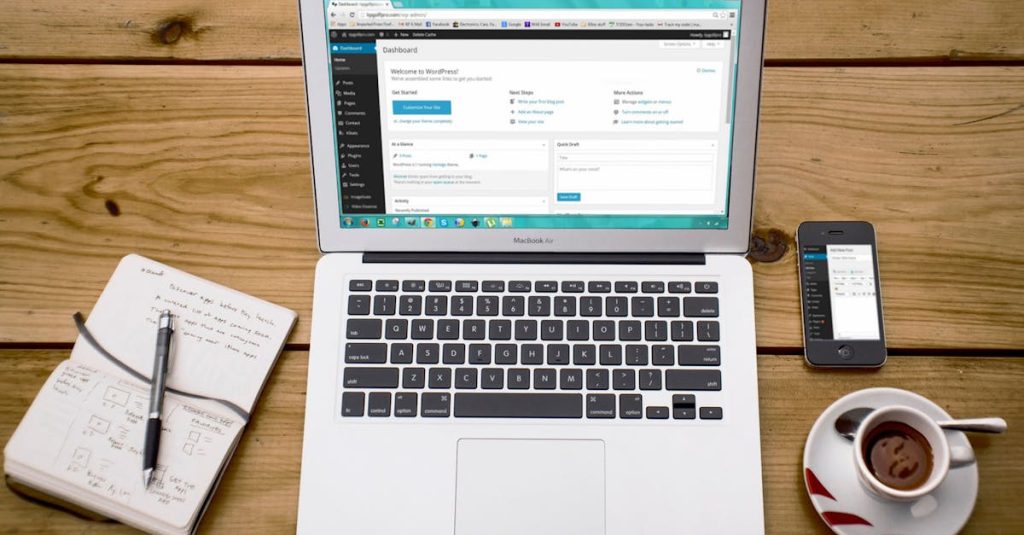
WordPress, on the other hand, is a powerful content management system (CMS) that powers over 40% of websites on the internet. It offers an extensive range of customization options through themes and plugins, making it incredibly versatile. WordPress is suitable for everything from simple blogs to complex enterprise-level websites. Whether you want to set up an online store or a membership site, WordPress can handle it all.
Benefits of Weebly
User-Friendly Interface
One of the main attractions of Weebly is its intuitive drag-and-drop editor. Users can easily add elements like text, images, and videos without needing any coding skills.
Cost-Effective Plans
Weebly offers competitive pricing options, making it accessible for startups and small businesses. The free plan even allows users to start building their website without any upfront investment.
Hosting Included
Weebly provides inclusive hosting in its plans. Users don’t need to worry about finding a separate hosting service, allowing you to manage everything in one place.
Benefits of WordPress
Extensive Customization Options
WordPress shines in its ability to allow extensive customization through thousands of themes and plugins. This means that no matter the functionality you want, there’s likely a plugin to accomplish it.
SEO-Friendly
WordPress is built with SEO best practices in mind, making it easier to optimize your website for search engines. Utilizing plugins like Yoast SEO or All in One SEO Pack can further enhance your SEO efforts.
Large Community Support
Given its popularity, WordPress has a vast community of developers, designers, and users. This means you can find tutorials, forums, and resources to help you solve any issues you encounter.
Weebly Use Cases
Small Business Websites
Weebly is ideal for small businesses looking to establish a simple online presence. With pre-designed templates and easy integration with e-commerce features, businesses can launch their stores quickly.
Personal Blogs and Portfolios
For individuals seeking to share their stories or showcase their work, Weebly provides an elegant platform. Users can create a stunning personal blog or portfolio without needing extensive design skills.
Non-Profit Organizations
Non-profits can use Weebly to create informative sites that drive fundraising efforts. The ability to integrate donation tools can facilitate this goal.
WordPress Use Cases
Blogging
WordPress originally started as a blogging platform, making it a fantastic choice for anyone looking to write and share content. With a myriad of blogging themes and formatting options, users can easily create engaging blogs.
E-commerce
With plugins like WooCommerce, WordPress can be transformed into a fully functional e-commerce website. This versatility allows businesses to sell products directly from their site.
Membership and Community Sites
WordPress is also well-suited for creating membership sites, where users can register for exclusive content or forums. Plugins such as MemberPress facilitate this functionality.
Weebly vs WordPress
Ease of Use
Weebly stands out with its simplicity and ease of use, making it perfect for beginners. In contrast, while WordPress offers more features, it comes with a steeper learning curve.
Customization
When it comes to customization, WordPress leads the pack with its vast array of themes and plugins. Although Weebly offers some customization, it is limited compared to WordPress.
Pricing
Both platforms have free versions, but for more advanced features, WordPress generally provides more scalability in terms of pricing. Weebly has straightforward pricing tiers, making budgeting easier, but each tier’s feature set can be limiting.
Tips for Choosing Between Weebly and WordPress
Assess Your Needs
Consider what you need from your website. If you want a simple site that you can launch quickly, Weebly might be the way to go. However, if you plan to expand your site in the future or require specific functionalities, WordPress is the more flexible choice.
Consider Your Technical Skill Level
If you’re not tech-savvy and want to get online quickly, Weebly’s drag-and-drop interface is very appealing. On the other hand, if you have a willingness to learn, diving into WordPress can be rewarding.
Evaluate Your Budget
Consider your budget for both time and money. Assess how much you are willing to spend on hosting, themes, and plugins if you choose WordPress. If cost is a significant factor, weigh the benefits of Weebly’s freemium model.
Conclusion
In conclusion, both Weebly and WordPress present compelling options for website creation, each catering to different needs and skill levels. If you value ease of use and are looking for a straightforward setup, Weebly may be your best bet. However, if you’re looking for a platform that can grow with you and offer more functionalities, WordPress is the clear winner.
To summarize, choosing between Weebly and WordPress ultimately depends on your individual requirements, budget, and technical expertise. For those needing help in making this decision or optimizing their current site, you can consider our Free Website Audit or Free Consultation.
Frequently Asked Questions About Weebly and WordPress
What is Weebly and how does it work?
How is WordPress different from Weebly?
Can I sell products using Weebly?
Is WordPress suitable for blogging?
What types of websites can I create with Weebly?
Is it easy to migrate from Weebly to WordPress?
Does WordPress have customer support?
Will I need coding skills for Weebly?
What is the cost of using WordPress?
Can I customize my Weebly site?